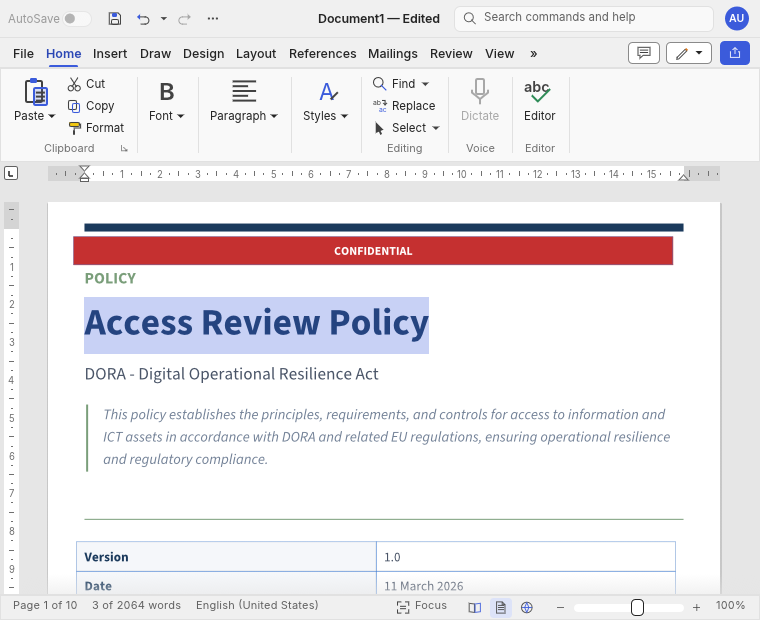
1. Change the cover title
YouChange the cover title from Access Control Policy to Access Review Policy. Leave the policy text unchanged.
The visible editAccess Control Policy → Access Review Policy. The policy body stays unchanged.
The platform / four connected chapters
An obligation becomes a question of evidence. A finding becomes work. Work needs people, time and follow-through.
Abivian connects that journey in one workspace.
Explore is Abivian’s conversational workspace. Ask questions with selected requirements, company evidence and saved records in view. Examine the basis, test your thinking and prepare the next step.
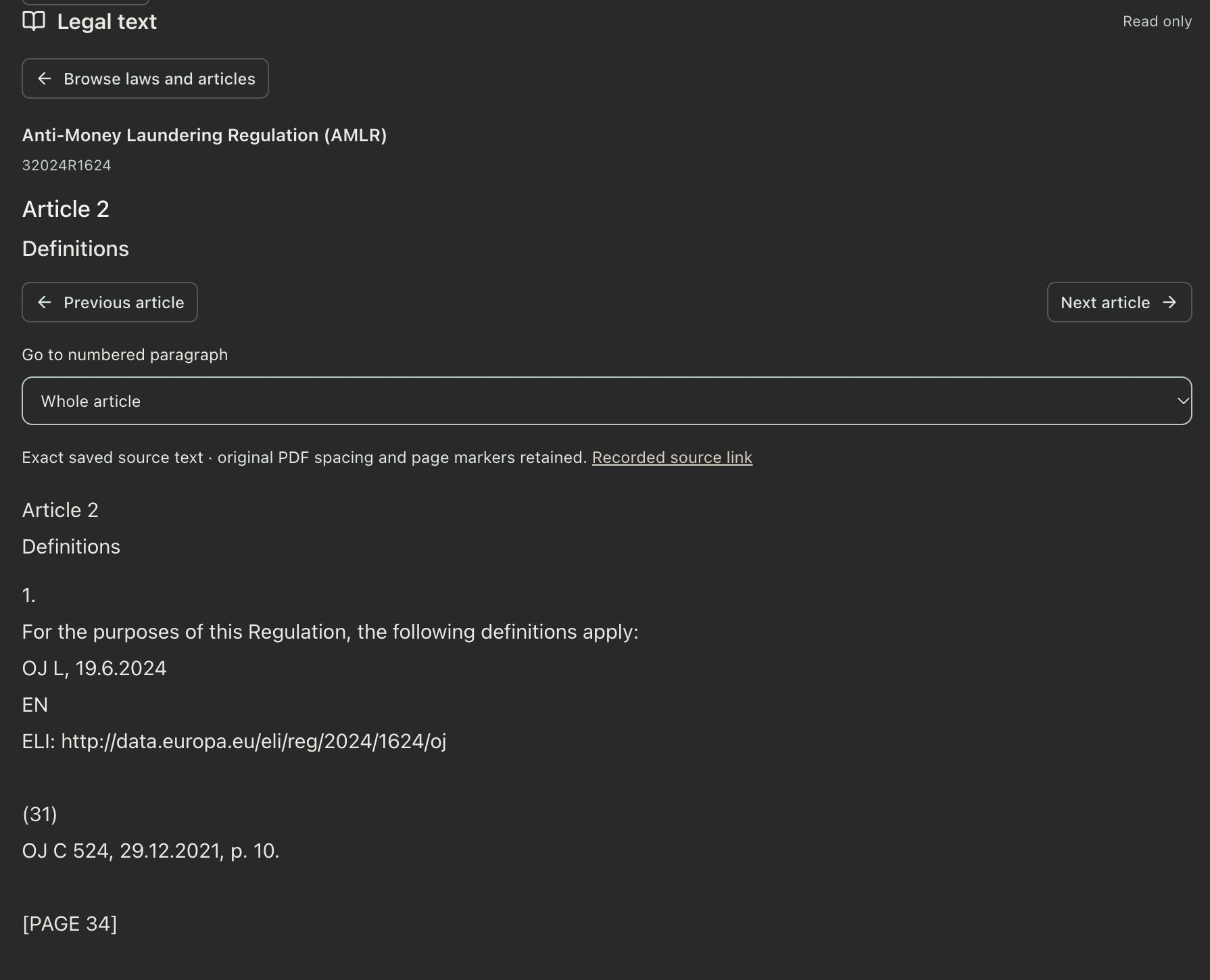
Understand the obligation
Clarity about the legal duty, without losing the detail that changes its meaning.
Start with your business
Start with your business activities, products and jurisdictions. Use that scope to identify relevant law, then work through its requirements and their applicability to your company.
A source-linked starting point for reviewing your obligations.
See who must do what, in which circumstances. Abivian brings related legal duties together while keeping definitions, conditions and exceptions attached.
Then consider what applies to your company. If a deciding fact is missing, the answer stays Needs information, not a convenient assumption.
The exact passage and its article, section or paragraph reference.
The action, with its conditions and exceptions.
Your company facts and a recorded reason.
No incident does not mean
no response procedure is needed.Explanatory example.
A short summary can lose a condition that changes who must act, when or how. Follow the source words and relationships behind Abivian’s interpretation.
Understanding the duty, deciding whether it applies and assessing company evidence are different tasks. They stay distinct.
Understand your position
A view you can explain: what the evidence supports, what it does not, and what to ask next.
Connect the entities, activities, people and controls described in your material. Follow recorded facts back to their source rather than searching for the same answer again.
Assessment compares applicable duties with company evidence. Gap analysis makes specific findings inspectable. A missing record and a failed control are not the same thing.
A statement in a document is not proof that a control works in practice.
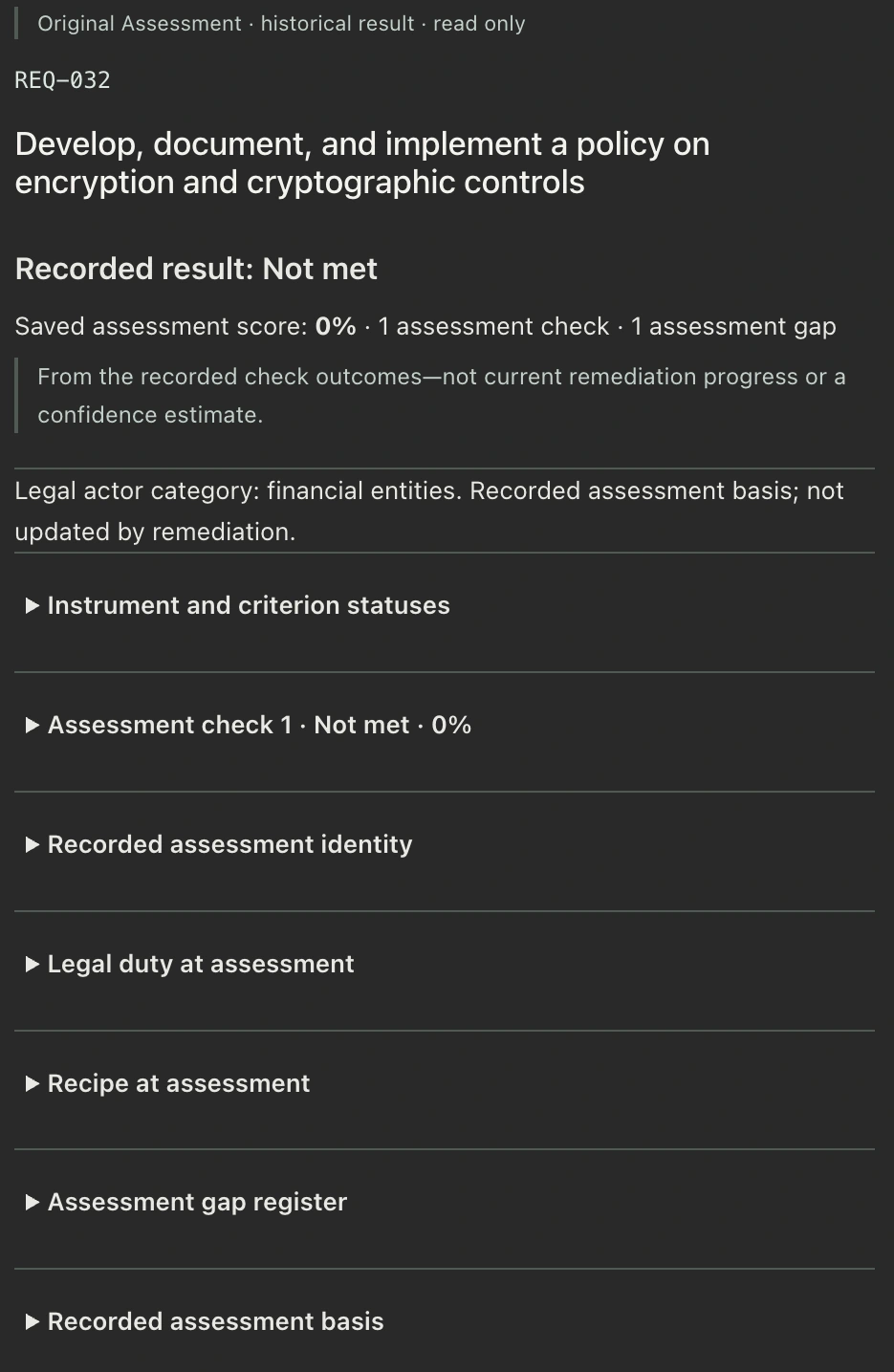
Historical Original Assessments remain distinct from the latest accepted results. “Not met” may mean missing evidence or a demonstrated deficiency. Those call for different next steps.
This Assessment example reviews documented evidence. Operational control checks are a separate workflow.
Assessment → Remediation → Reassessment
Illustrative example · monthly access review
“Why is this requirement only partially met?”
The policy requires monthly access reviews. The evidence does not establish that May’s review happened.
The policy names an owner and a monthly review. The supplied log has no review date or results. That supports a finding about missing evidence, not a conclusion that nobody did the work.
“The Compliance Lead reviews user access monthly and records decisions and follow-up actions.”
Owner: Compliance Lead.
Review date: blank.
Results and next steps: blank.
“What should I ask the owner for?”
Ask for May’s dated access-review record. If the review is outstanding, organise it and record the decisions and follow-up actions.
Take this gap into the action plan →Build practical capacity
Turn the finding into a response. Put your time into the decisions, with help doing the work.
The same monthly access review
In Remediation, turn the finding into a plan with practical steps, an owner, a priority and a date.
The owner checks access, documents the results and assigns any follow-up actions. Use Documents to refine the review briefing, then review and export the working copy.
See Documents in use ↓Bring the completed review record into the evidence for reassessment. Inspect the updated assessment and its basis to see which findings are resolved and which remain.
The dated results demonstrate May’s access review.
A flagged access removal still needs its completion record.
The action records the work. The reassessment establishes what it proves. Keep the completed task and the evidence of closure connected, but distinct.
Finding gaps should help you move forward, not leave you with hundreds of problems to sort out alone.
Not every finding needs a new process. Your organisation may already be doing the right thing without its documentation clearly expressing it. Abivian brings together its understanding of the requirements and your business to help draft missing explanations, clarify responsibilities and improve policies and procedures. You can resolve straightforward documentation gaps with Abivian’s help, rather than starting from a blank page.
Where something needs more substantial attention, Abivian helps you understand why, bring related findings together and organise clear actions. Separate the important issues from the clutter. Decide what to tackle first, involve the right people and keep sight of progress.
Compliance involves judgment. Abivian helps you examine interpretations, understand what genuinely applies and choose a proportionate response, informed by your obligations, business priorities and risk appetite. The aim is not to create unnecessary work or push your organisation towards over-compliance. It is to help you meet your obligations and pursue the standards you have chosen, with clarity and confidence.
Resolve what can be resolved now. Give serious issues the attention they deserve. Keep the whole process manageable.
Abivian Documents
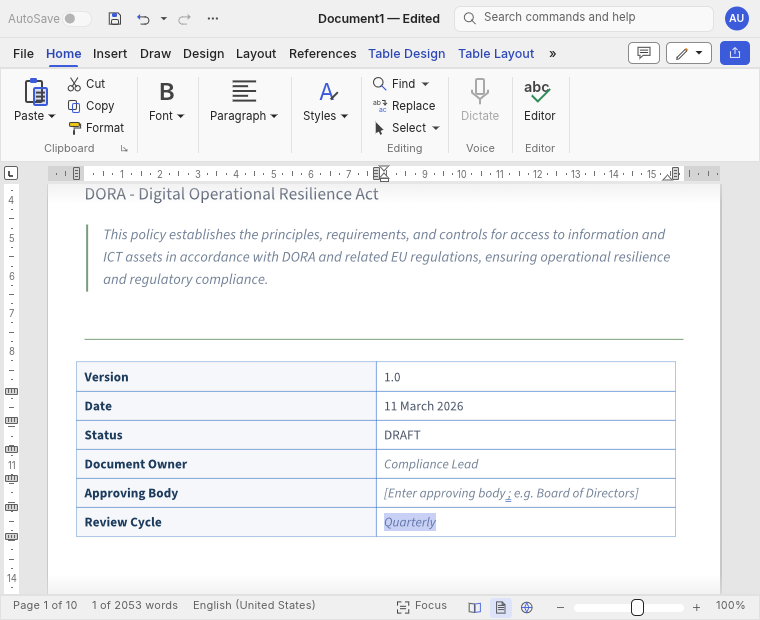
Tell Explore what to change. See the edit in the Word-like editor alongside the conversation. Working documents autosave in your shared library. Review the wording, refine it yourself, save named versions and export when needed.
Three requests. Three visible changes.Illustrative example · three document edits
Review Cycle: Quarterly

Set the cover table’s Review Cycle to Quarterly. Keep the approval fields unchanged.
Set Review Cycle to Quarterly. Approval fields remain unchanged.
Review Cycle → Quarterly
The current change is highlighted.Illustration complete. Review, refine and export the working document.
YouChange the cover title from Access Control Policy to Access Review Policy. Leave the policy text unchanged.
The visible editAccess Control Policy → Access Review Policy. The policy body stays unchanged.
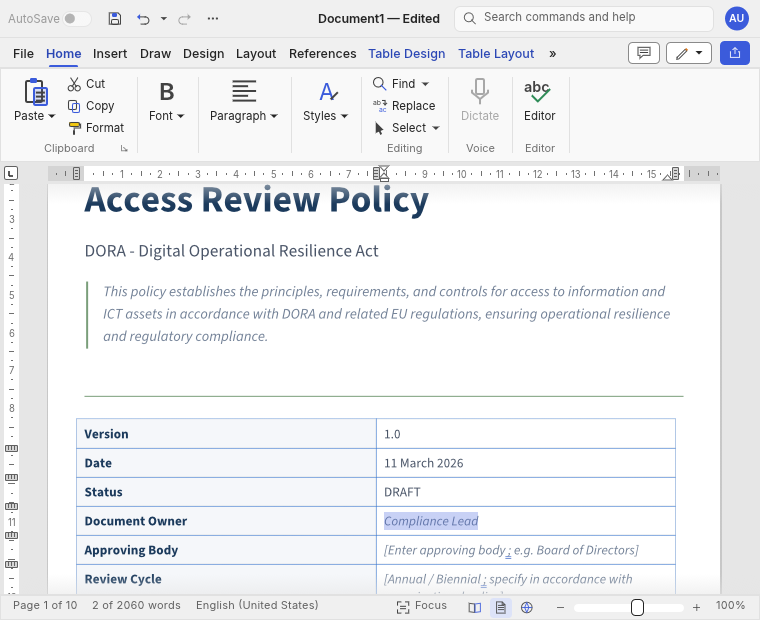
YouIn the cover table, replace the Document Owner placeholder with Compliance Lead.
The visible editDocument Owner: [Enter document owner name and title] → Compliance Lead.
YouSet the cover table’s Review Cycle to Quarterly. Keep the approval fields unchanged.
The visible editReview Cycle: an unfilled frequency placeholder → Quarterly. Approval fields stay unchanged.
Send your request → see the edit in your working document → review and refine it. Working documents autosave in the shared library; save named versions and export when needed.
Ask for a tighter paragraph, a clearer responsibility or a new section. The requested edit appears in the document, not just as a suggestion to copy and paste.
Review and edit the saved working document. Keep document approval and evidence of work in practice distinct from drafting. Original case evidence stays separate.
Keep the whole job in view
The work between the milestones deserves a place of its own.
Controls
Abivian derives testable controls from your regulatory requirements and checks the operational material you supply against them. Review PASS or NOT PASS results, with each control connected to its regulatory source.
The requirement and its regulatory basis.
For example, logs, code, policies or contracts.
Decide what needs attention.
Your systems can submit operational data to Abivian for verification against controls. Bring checks into the workflow where the work happens, without moving each record by hand.
The consolidated compliance Calendar
Bring reviews, evidence requests and meetings across the cases you can access into one view. Filter by case, people, type or status. See what is competing for the same hours.
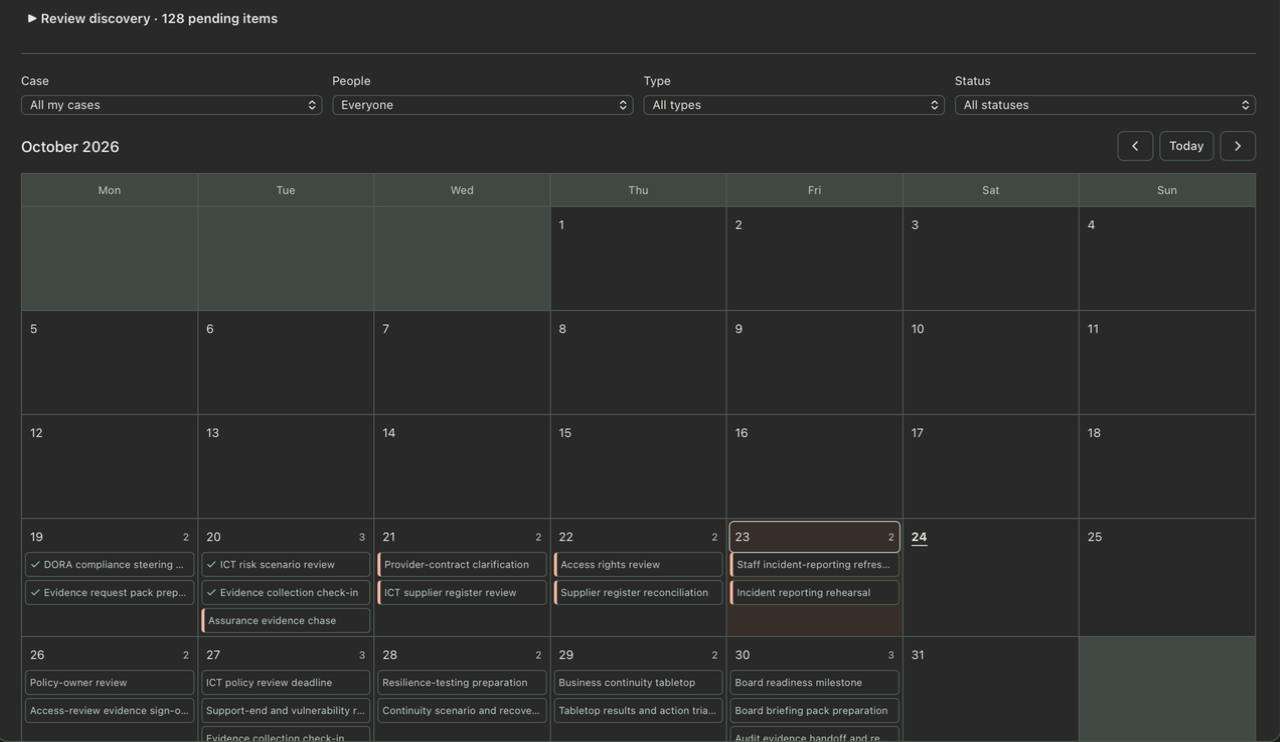
Shared and private events across cases you can access.
Create appointments; review source-derived candidates and suggested changes before accepting them.
Track appointments alongside the evidence of completed work.
Reporting
Use Explore to reason and draft. A saved report setup combines its instructions, called a Skill, with an optional writing Style and document Template. Use that setup to draft and refine your report in Documents.
Audit trail / retained work
Follow saved document history, requirement history and activity. Keep the evidence, the assessment basis and management decisions distinguishable.
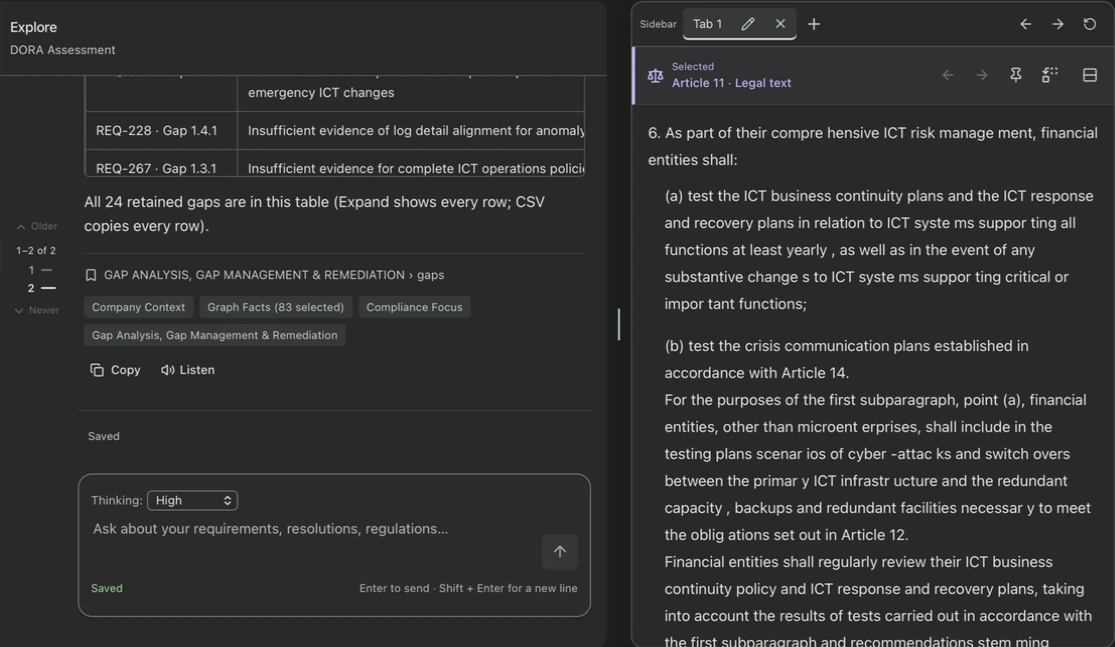
MCP server · Claude and ChatGPT connectors
Bring authorised Abivian records into a conversation in Claude or ChatGPT. Prepare for a review without copying the case between tools.
Explore integrations →Requirements · applicability · assessments · gaps · remediation plans
“Which gaps remain open for this requirement?”
Abivian offers an MCP server and connectors for Claude and ChatGPT. The connectors provide read-only access to your authorised Abivian records.
A basis you can examine
See the sources, company evidence and basis behind a conclusion. Keep unresolved questions visible, so you can judge what the answer supports and what still needs review.
How the reasoning works →Understanding. Capacity. Action.
Bring one question from your working day. See how Abivian connects the understanding and the work around it.